
1
-
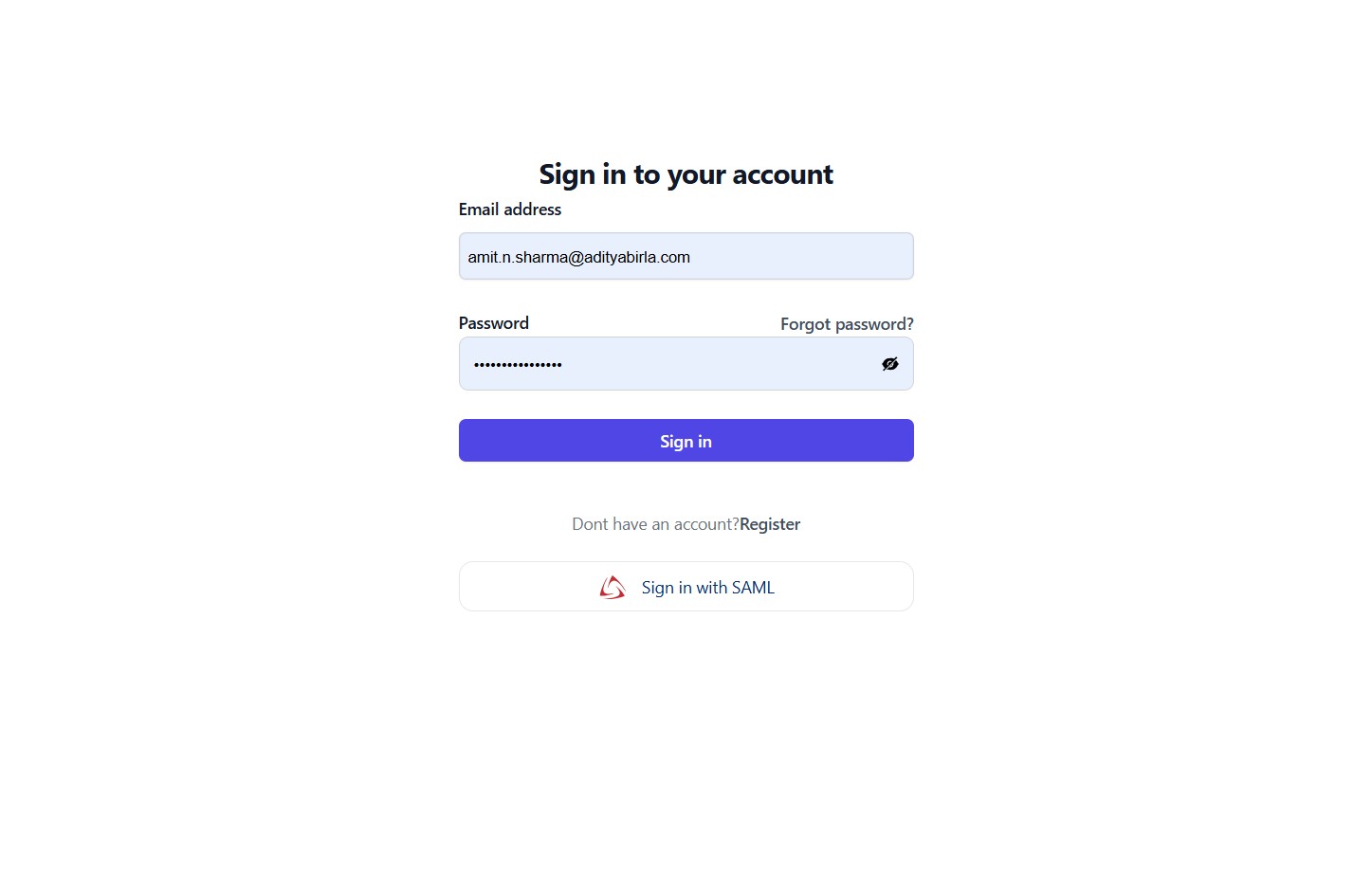
Visit the Registration Link: https://tms.smart24x7.com/adobe/login
-
Login using OKTA, SAML, or Provided Email ID and Password.(OKTA SAML will work on Production only)
-
If you’re not registered yet, click on the “Register” button and follow the on-screen instructions to create your account.
2
-
Visit the Registration Link: https://tms.smart24x7.com/adobe/register
-
Fill the Registration Form Enter all the required details accurately.
-
Submit Click on the “Signup” button to complete the registration process.

3
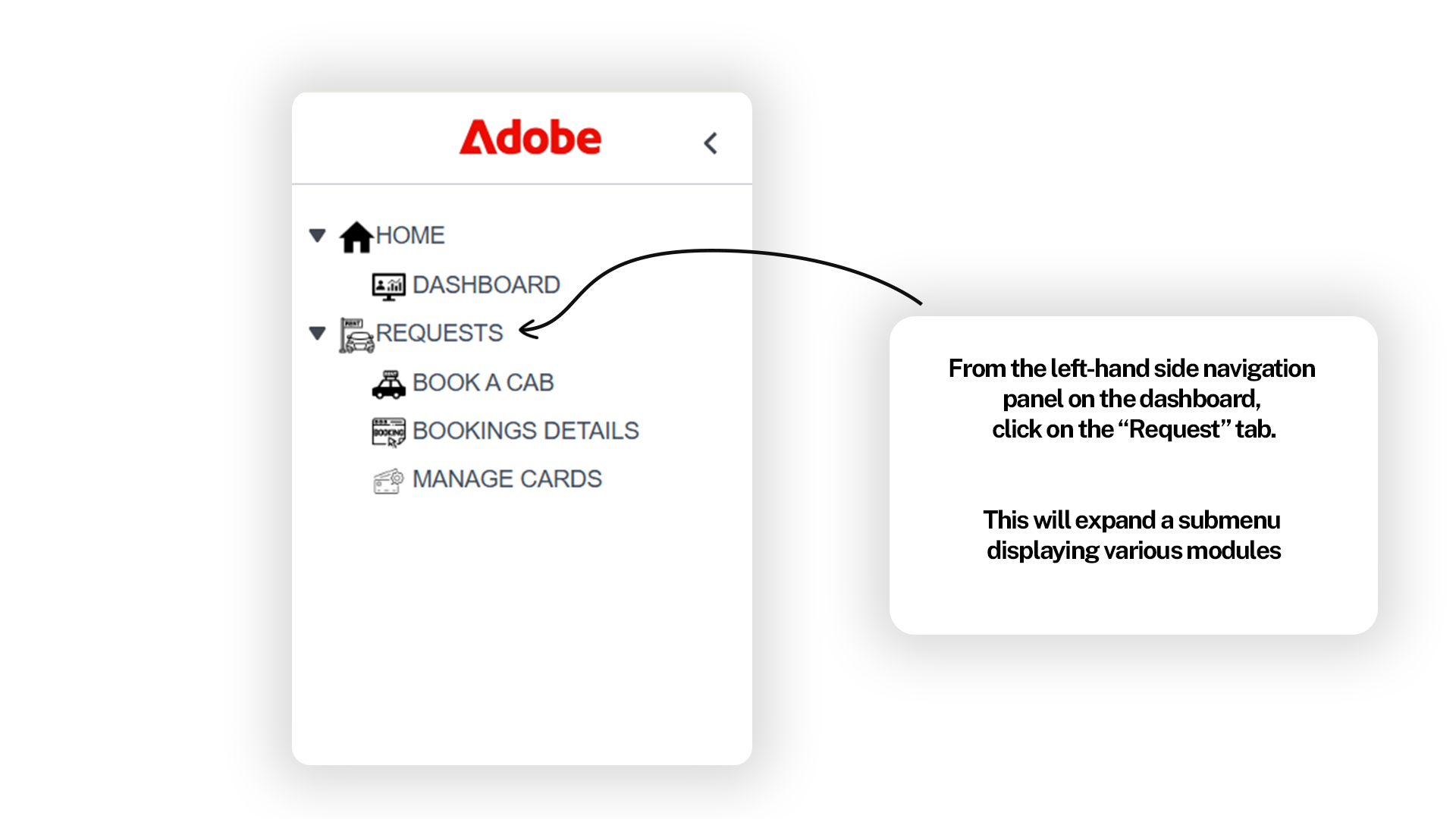
From the left-hand side navigation panel on the dashboard, click on
the “Request” tab. This will expand a submenu displaying various
modules
4
-
Click on the ‘Book a Cab’ button to initiate your booking.
-
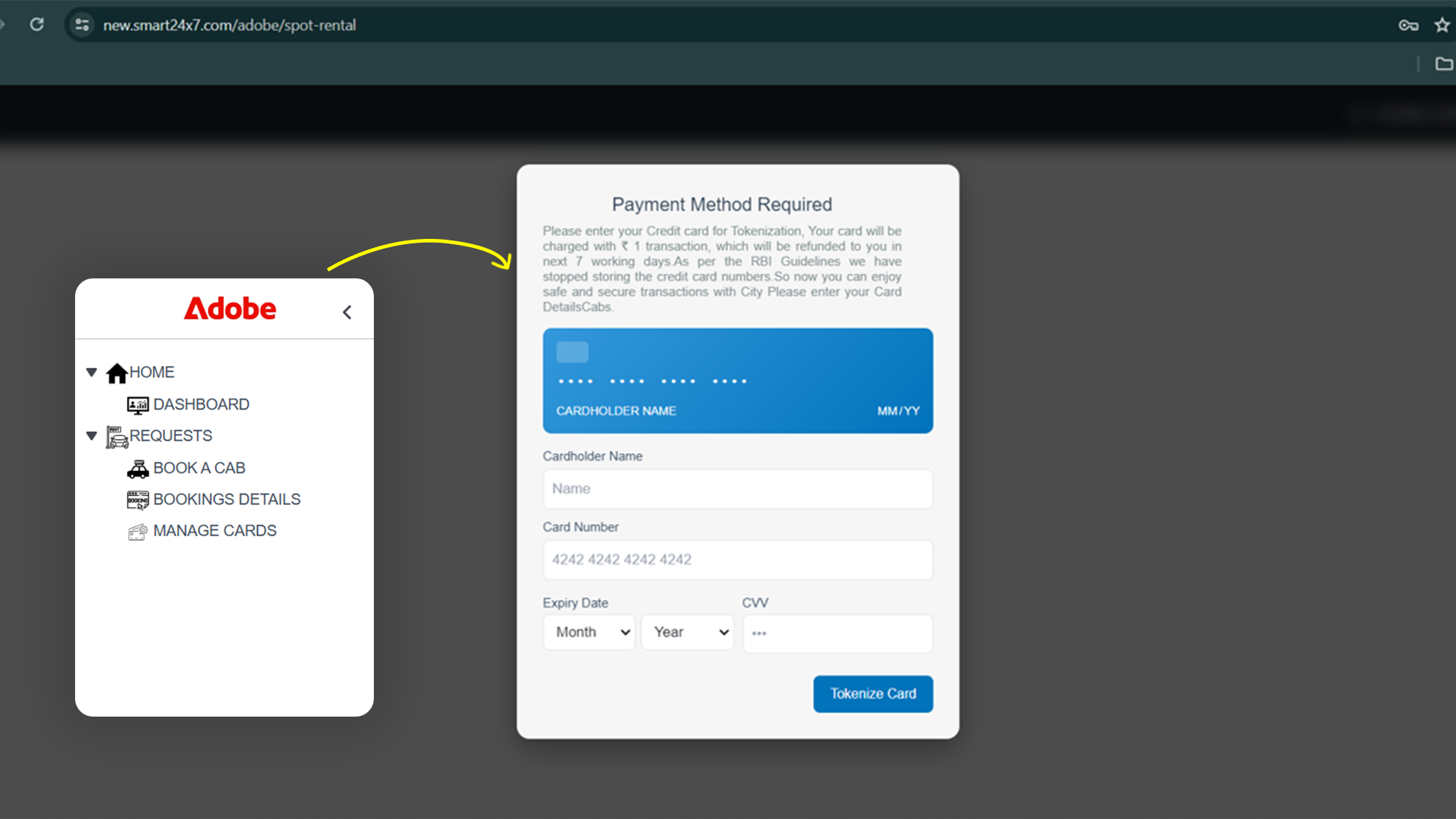
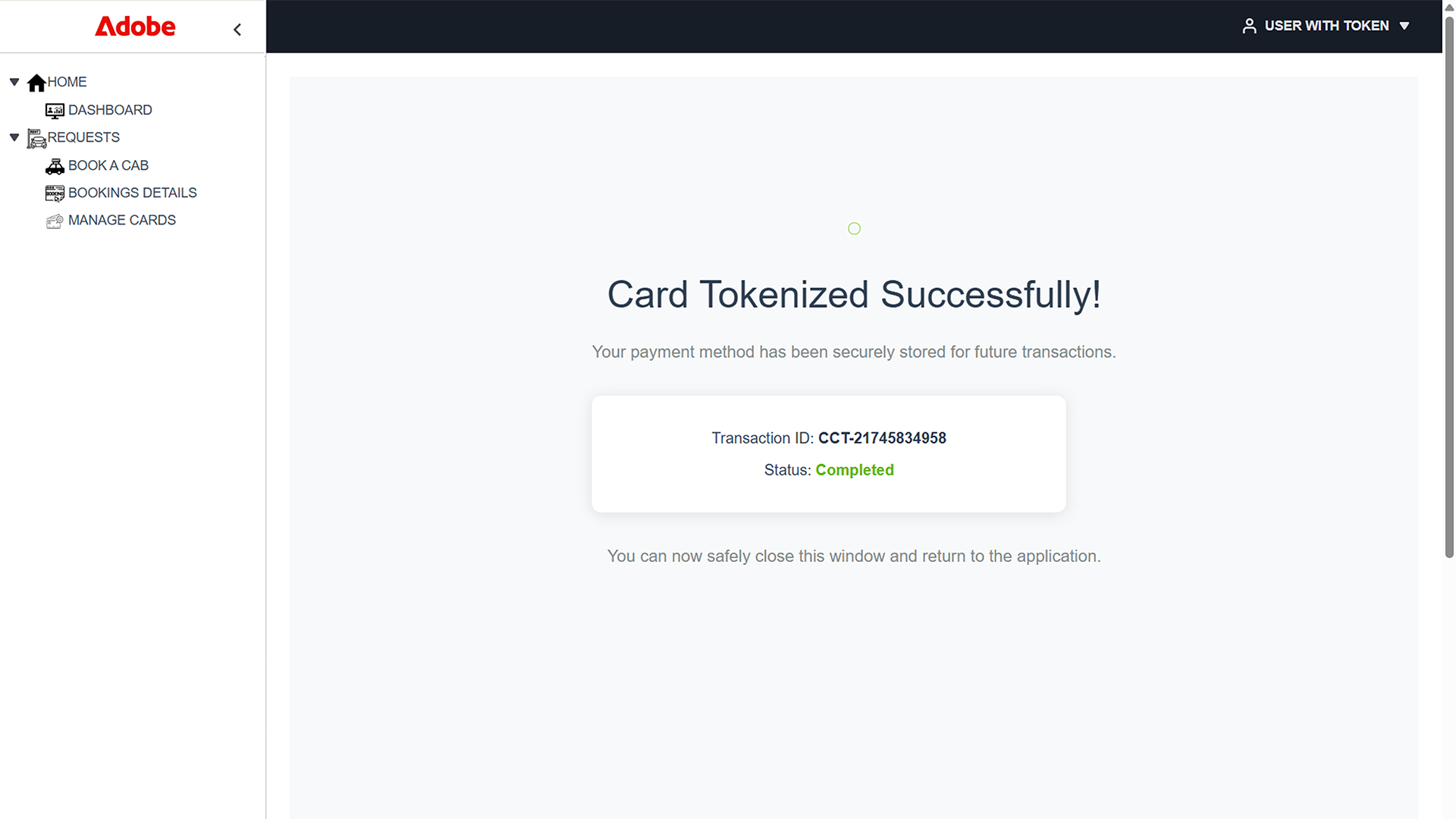
Tokenize your card by securely adding your Pax card details.
5
For Booking a cab
6
-
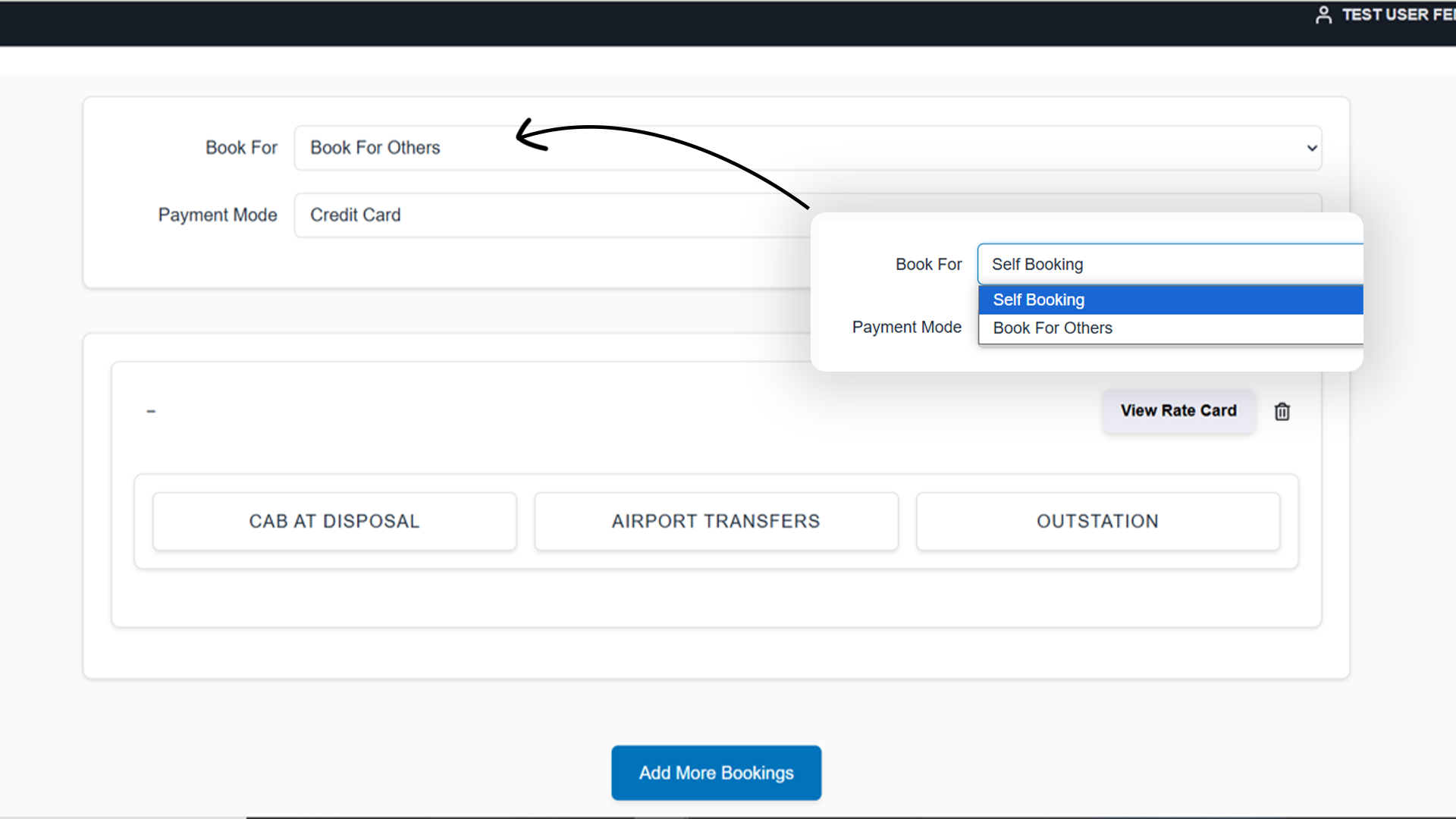
Select for whom the booking is (self/other)
-
Select payment mode
7
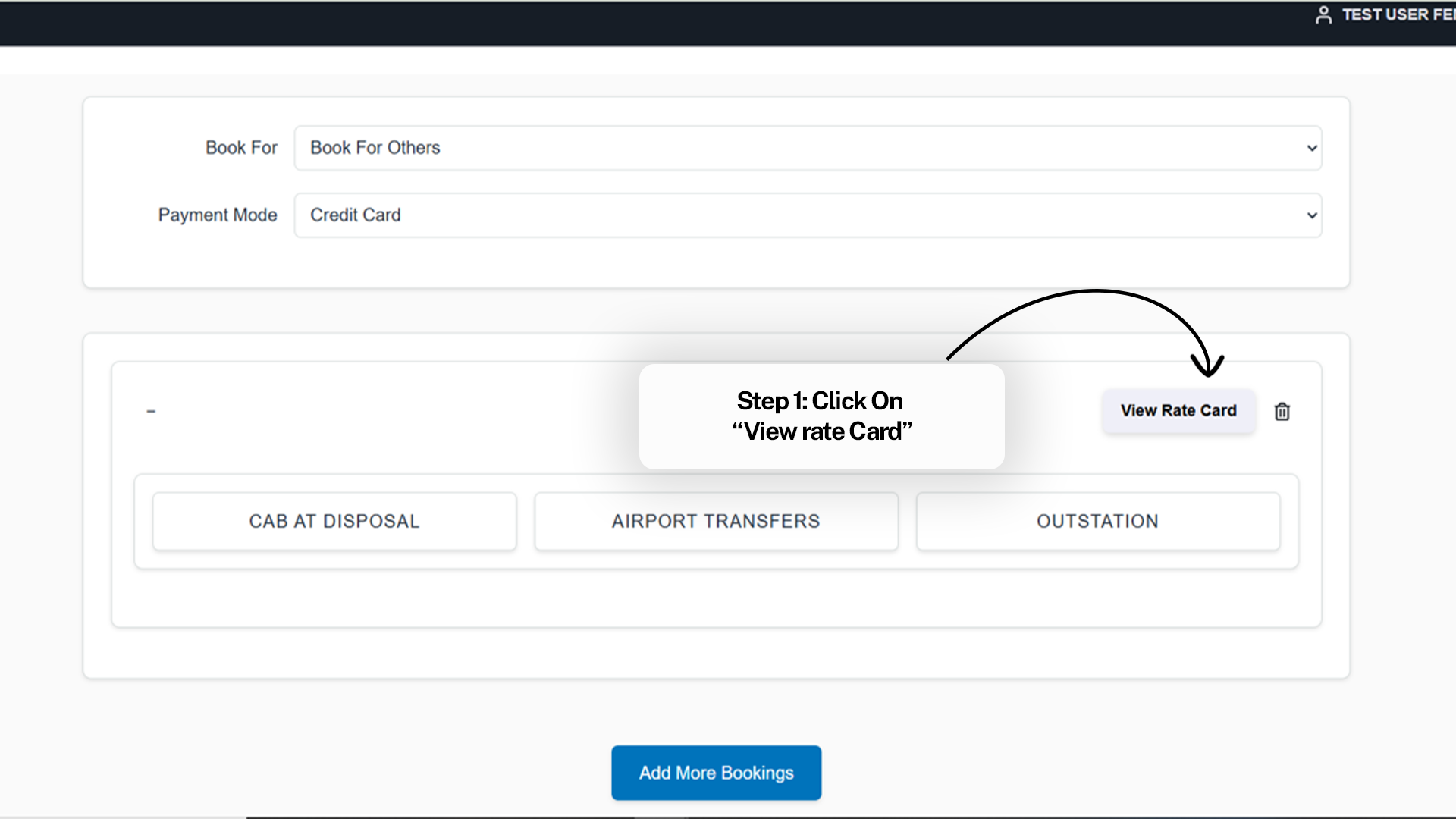
For Booking a Cab after viewing Rate Card
8
For Booking a Cab after viewing Rate Card
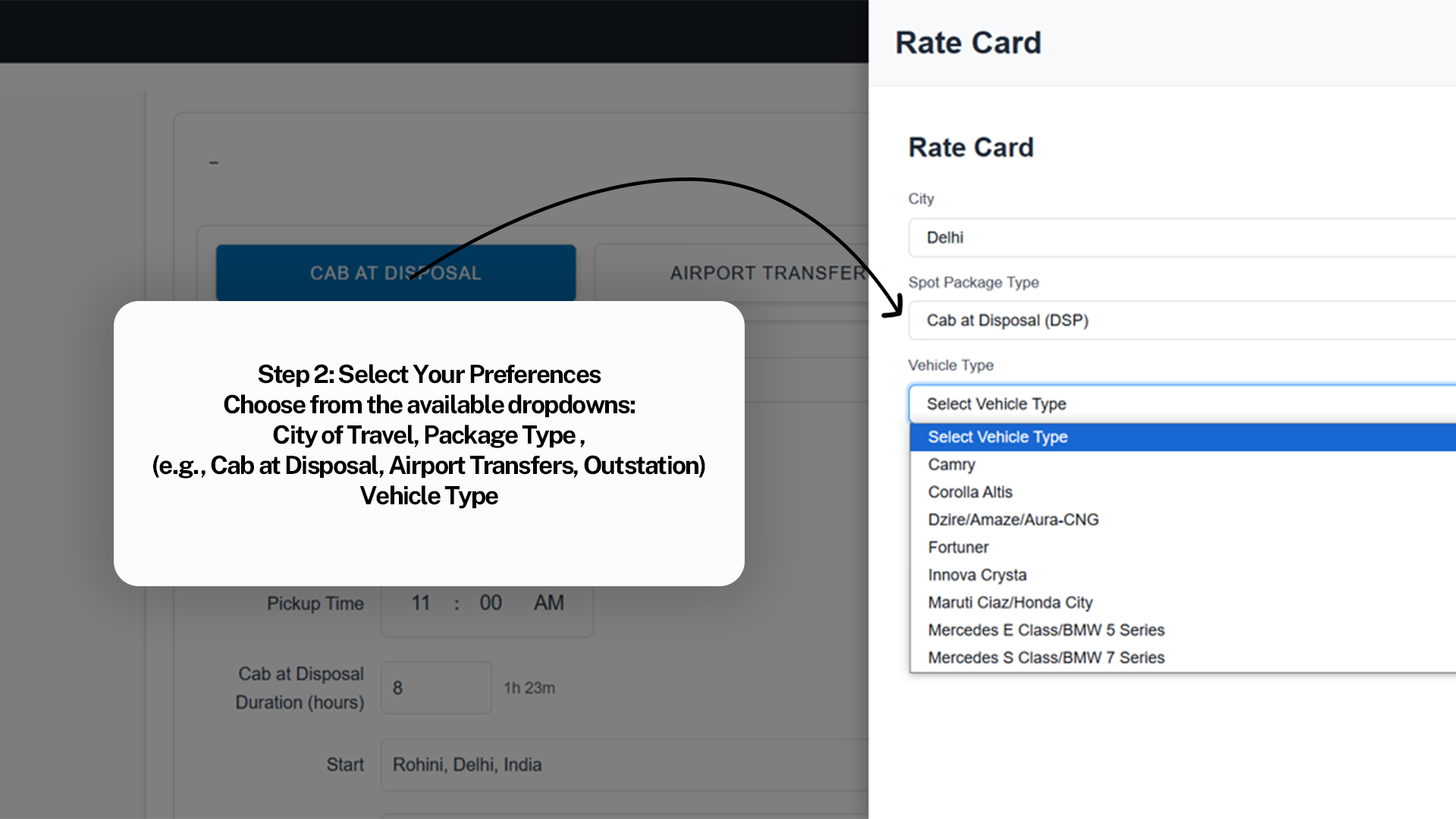
9
For Booking a Cab after viewing Rate Card
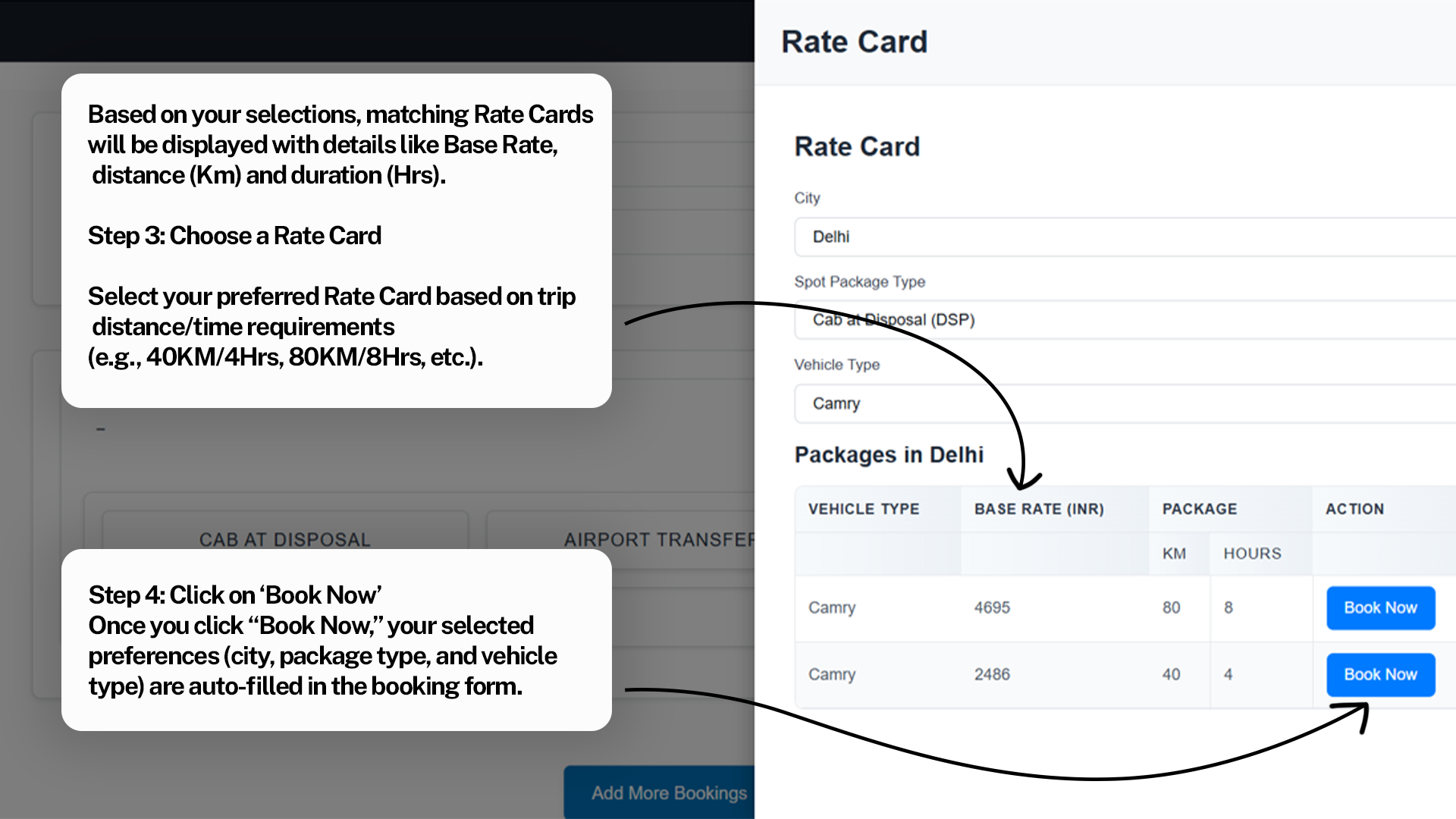
10
For Booking a Cab after viewing Rate Card
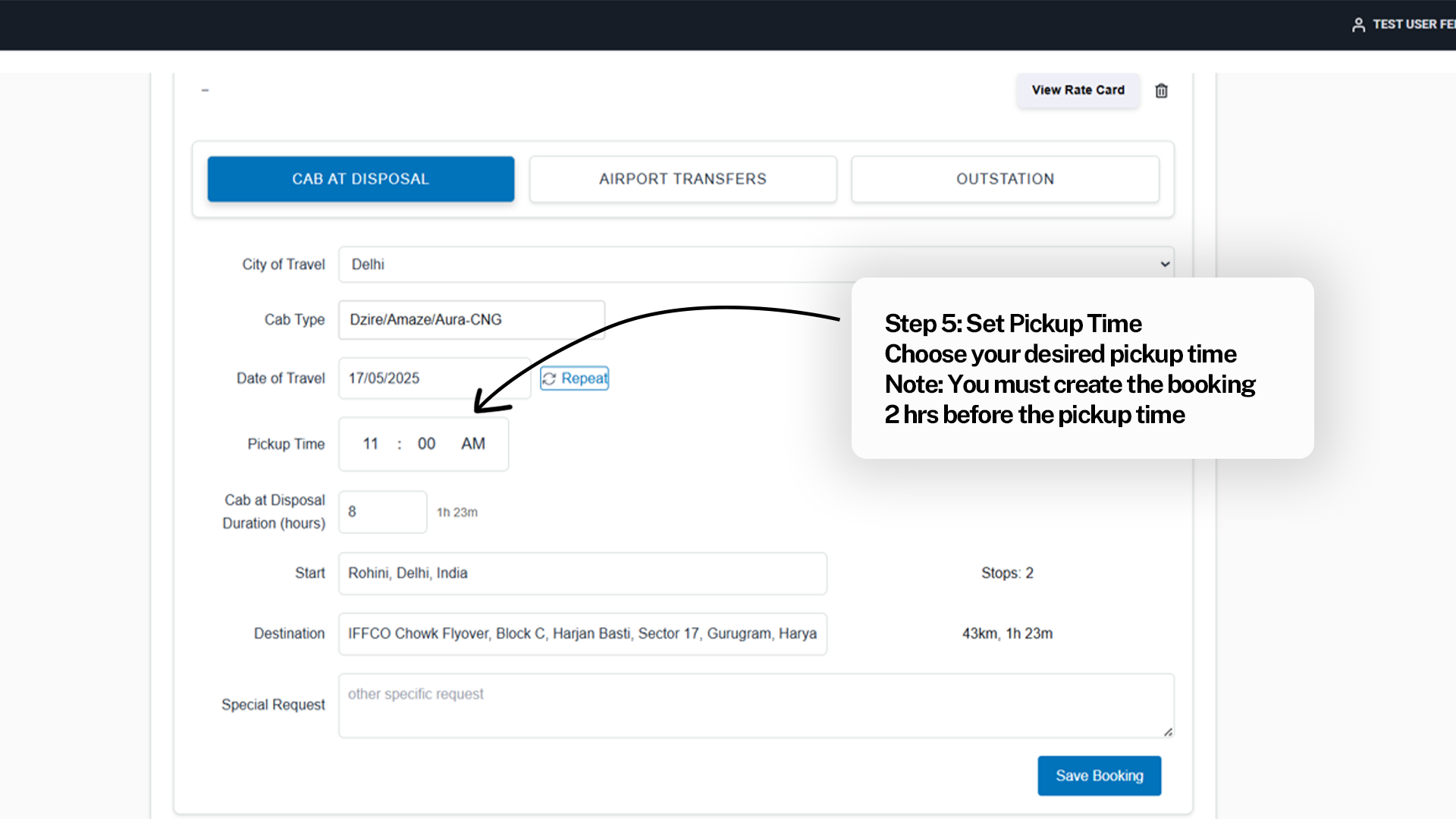
10
For Booking a Cab after viewing Rate Card
11
For Booking a Cab after viewing Rate Card
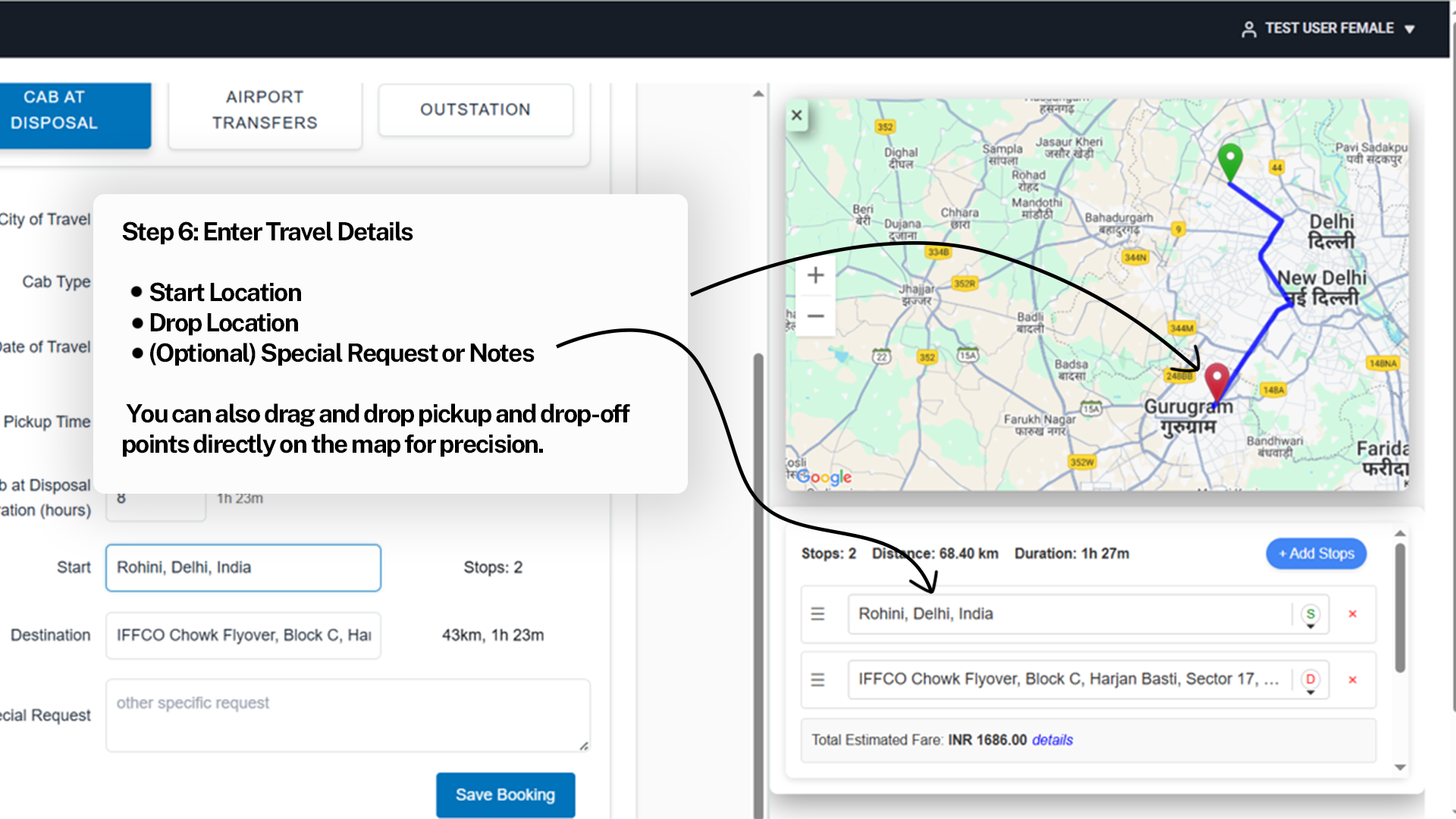
12
For Booking a Cab after viewing Rate Card
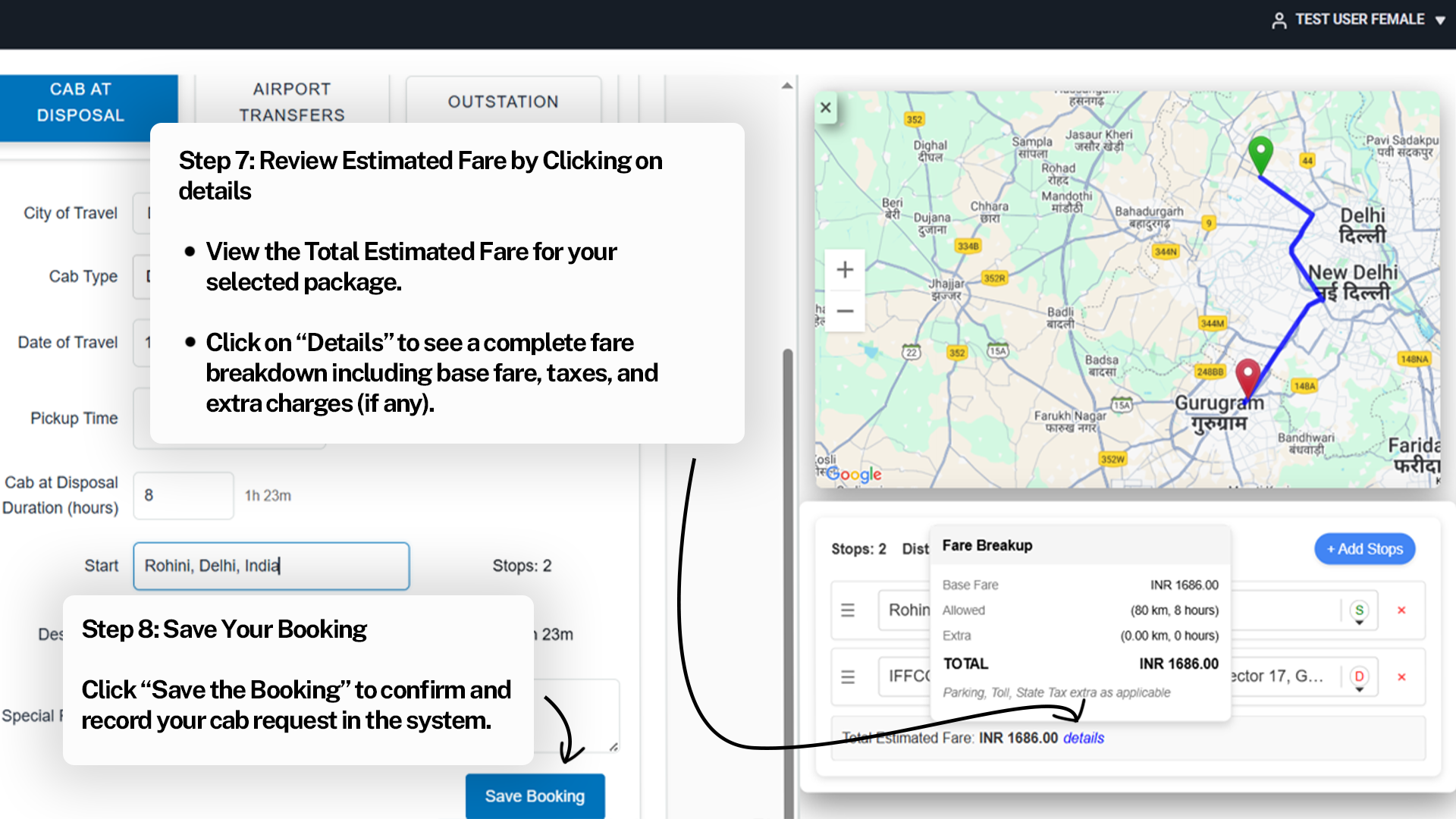
13
For Booking a Cab after viewing Rate Card
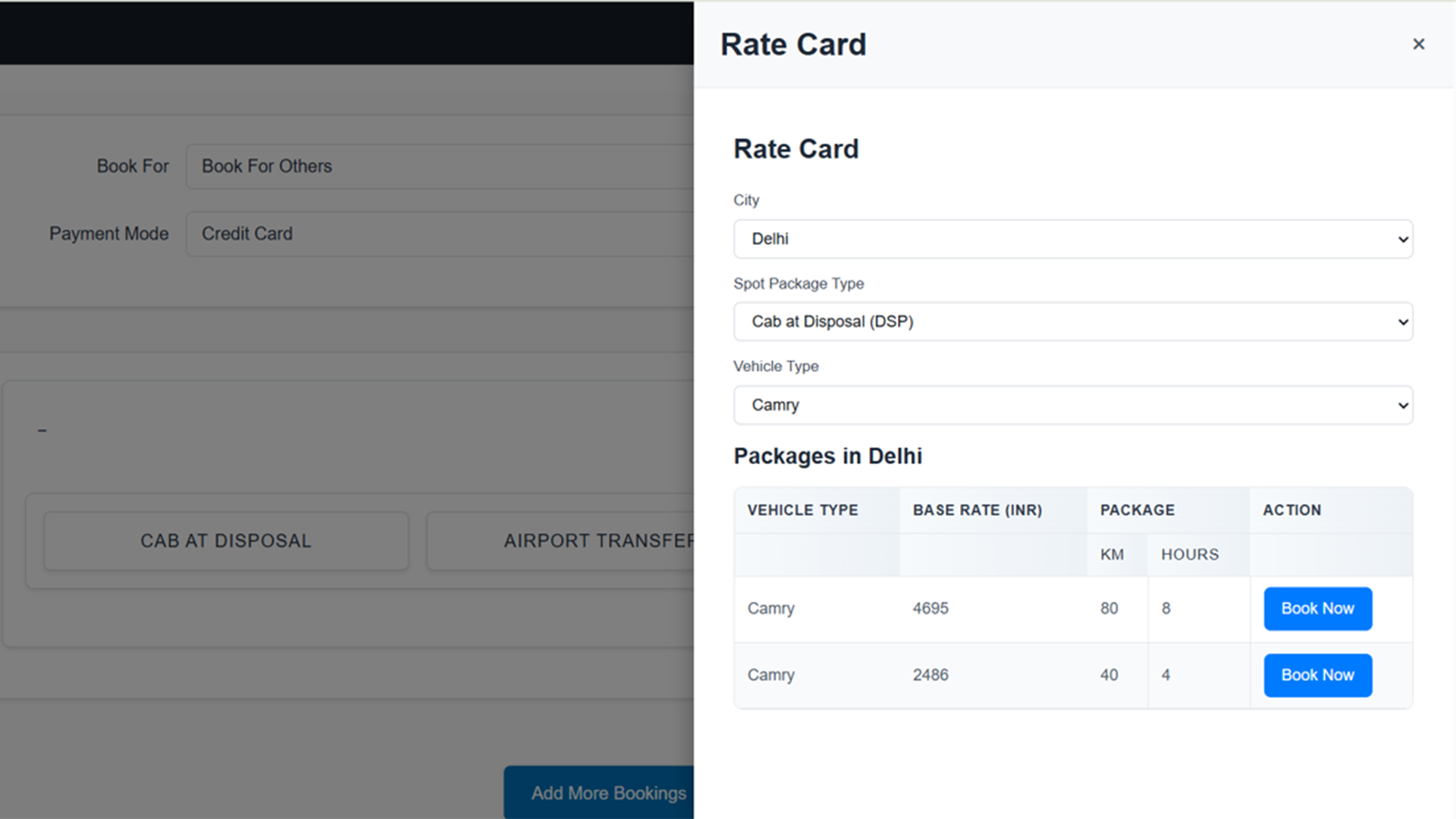
14
For Booking a Cab after viewing Rate Card
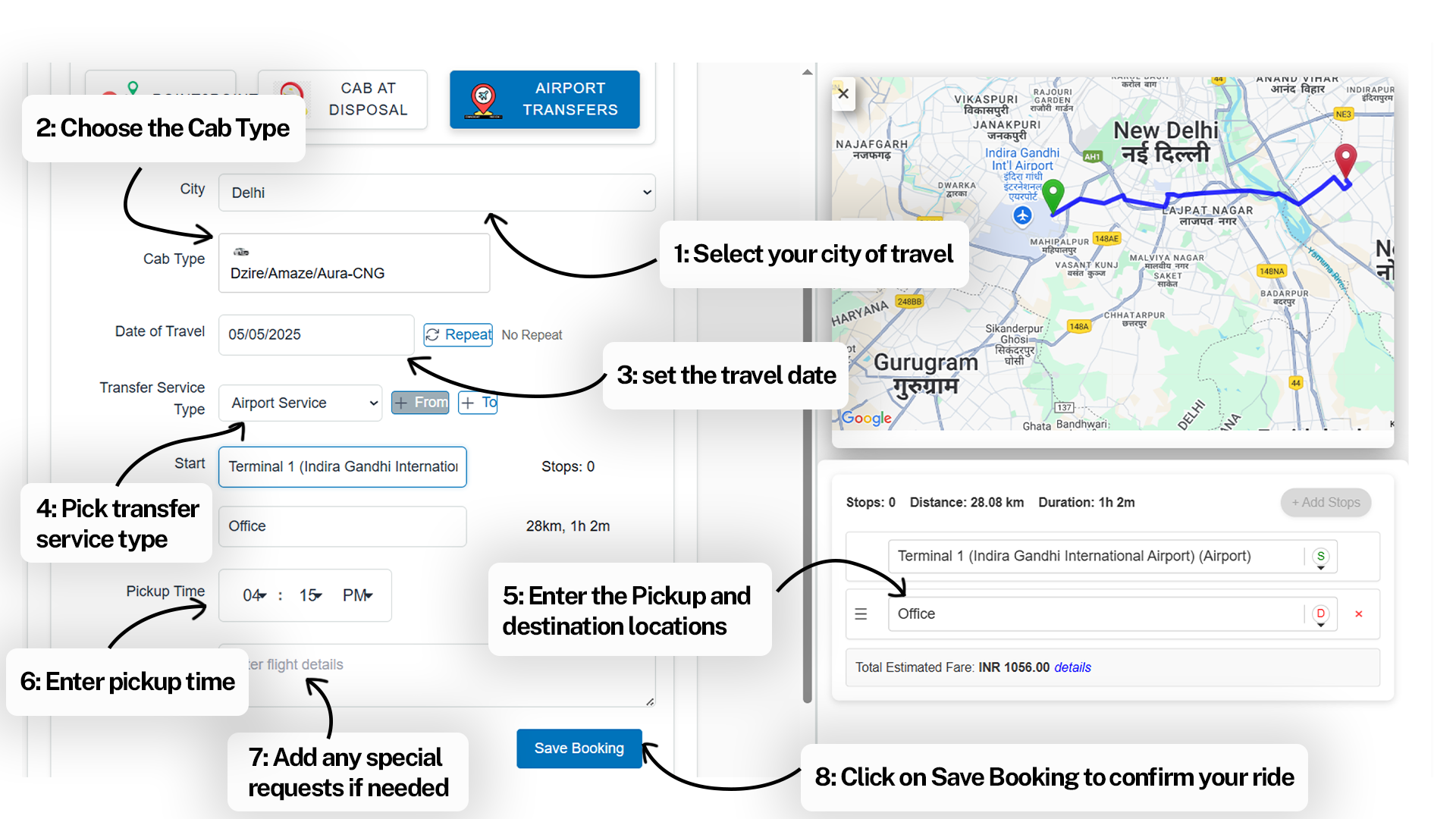
15
For Booking a Cab after viewing Rate Card
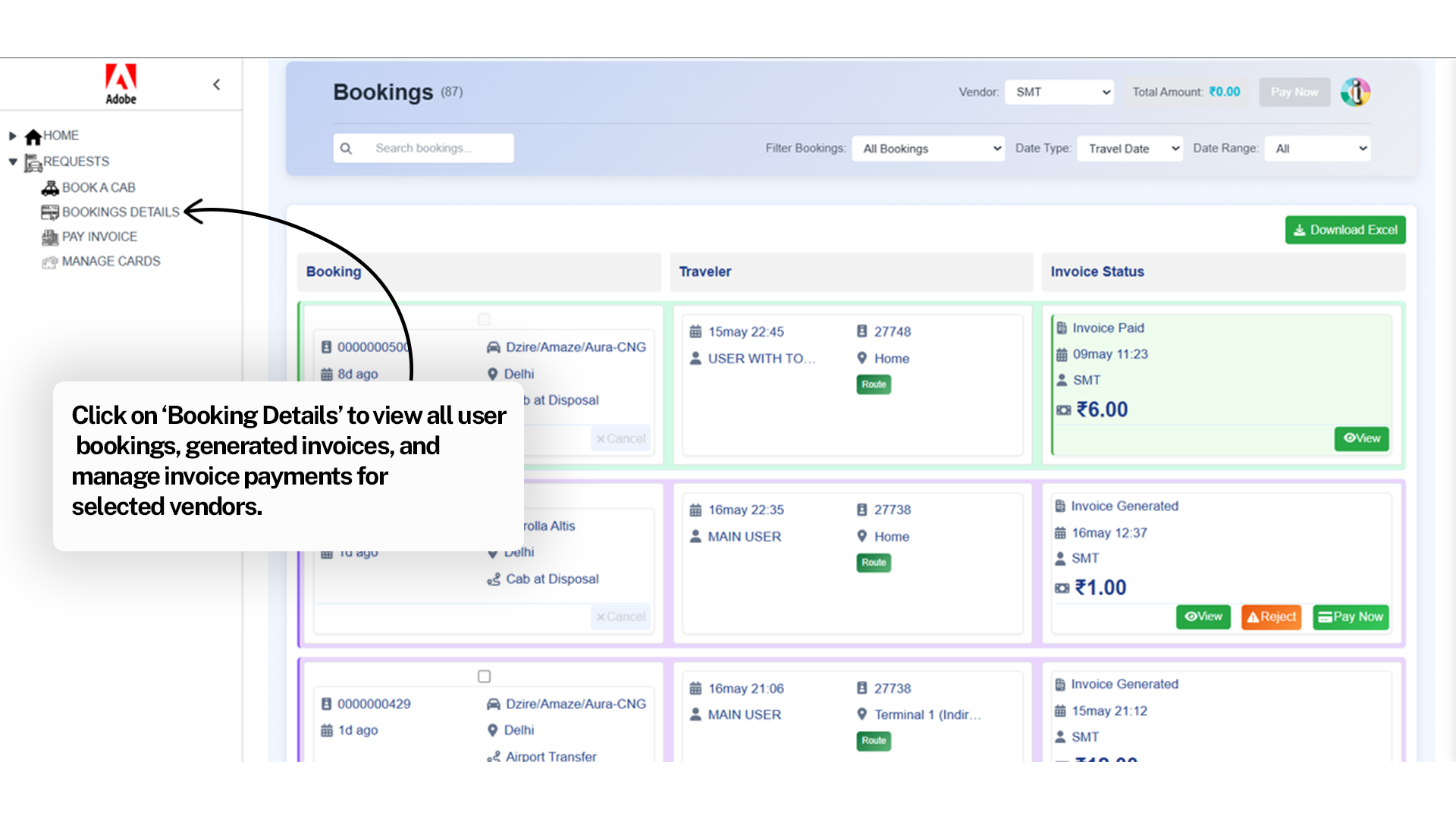
16
For Booking a Cab after viewing Rate Card
17
For Booking a Cab after viewing Rate Card